Fleet class page template
One reusable design for every vehicle class, built around photography and a plain specification block.
A car rental website earns bookings by presenting the fleet the way a renter actually compares it: by class, by photo, by what is included, so the design work is really fleet architecture before it is ever color and type.
What it costs
Fleet owners and rental managers whose current site shows every vehicle in one list and who know it is costing them. If you have more than three vehicle classes, or you are adding classes faster than the site can keep up, this is the page for you. If you rent one vehicle and take every booking by phone, you do not need this yet.
A renter comparing rental options is weighing vehicle class, what is included and how close the pickup location is, usually across two or three tabs at once. The design work starts by mapping your fleet into classes that match how renters actually search, then building a page template for each class that leads with a specification block and photography rather than a paragraph of marketing copy the renter has to read to find the facts.
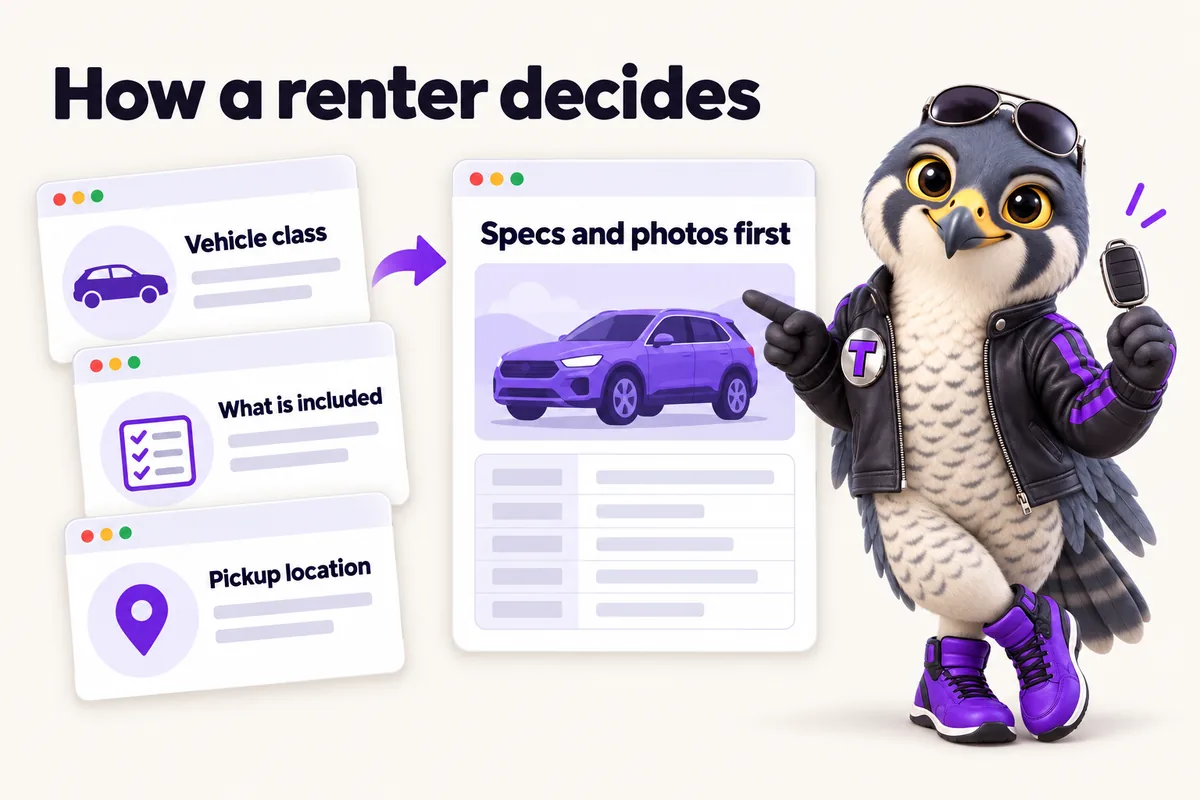
Adding a new vehicle class or a new location should not mean redesigning the site. Every fleet class page, location page and rate page shares one visual system: the same photography layout, the same specification block, the same reservation call to action, so a fleet with six vehicle classes and a fleet with sixty both look considered rather than assembled.
Most rental research happens on a phone, often outdoors while comparing options between errands. Every page is designed to load fast, hold its layout on a small screen and stay legible in bright light, with both a light and a dark presentation so the site looks intentional whichever the visitor's device prefers.
One reusable design for every vehicle class, built around photography and a plain specification block.
A form designed around the fields a rental enquiry actually needs, not a generic contact form.
A fixed order for exterior, interior and detail shots so every vehicle page reads the same way.
A page design for every pickup and drop off point, ready to add as the fleet grows.
One accent color and one type pairing applied consistently across the whole site.
Both themes designed together from day one, not bolted on afterward.
Four things people reasonably expect and do not get, written here rather than discovered later.
Design happens inside the build, not as a separate phase before it. The onboarding call fixes the fleet structure and the launch date, the first design direction is on your screen in the first few days, and the site goes live in seven to fifteen days depending on the plan. Changes after that are change requests, turned around in two to five working days, so the design keeps moving rather than being frozen at launch.
Live in 7 to 15 days from the onboarding call depending on the plan, then 5 change requests a month completed within 2 to 5 working days.
The monthly fee is the same whatever your fleet looks like. These are the things that decide how much of the first two weeks goes where.
Six classes and sixty vehicles are the same design job. Sixteen genuinely different classes is more writing and more photography direction, not more design.
Each counter, depot or delivery zone needs its own page with its own address, hours and available classes. Two is quick; eight is a content job.
A fleet with consistent exterior and interior shots per vehicle moves fastest. A fleet with one phone photo per car needs a session before the pages can carry their weight.
If mileage, deposits and age requirements exist in writing, we structure them. If they live in your team's heads, the first week is us getting them out.
Named reviews from rental businesses we have built for, each about the part of the site that changed.
My first check was simple: open the touring vehicle requests page on a phone and try to get in touch. Key information comes first and the contact option is clearly labeled. Staff can now text a single link mid-call instead of narrating the menu.
Mobile navigation and page layout for touring vehicle requests
We asked for substance over slogans on the touring vehicle requests page, and that is what we got. The claims are still there, but now they come with the evidence attached. People comment on it, which never happened with the old page.
Reference content and service presentation for touring vehicle requests
I was skeptical that a guide would change much for touring vehicle requests. I was wrong. Visitors arrive knowing what the first discussion covers and what they should think about beforehand. We include it in our first response as standard.
Preparation guide and inquiry support for touring vehicle requests
Real projects for rental businesses, from the starting point to what changed. Clients are described by type and region, not named.
Camilla SinclairReservations coordinator, highland touring camper hire, Fort Wayne, IndianaRead the case studyOur touring vehicle requests page finally behaves on the device people actually use. The menu-navigation phone calls have ended.
Nobody buys a website in a vacuum. You are weighing this against the builder you already pay for, the person who made the last one, or leaving things as they are. We have written all ten comparisons honestly, including the cases where the other option is the better choice for a rental business.
Most fleets are organized by class, such as luxury sedans or campervans, with one page per class. A single standout vehicle can get its own dedicated page inside that structure if it is worth featuring separately.
Yes. The palette, photography treatment and page structure are built around your fleet's positioning, whether that is a premium showroom feel or a practical trip planning feel for campervans.
Design happens inside the same monthly plan as the build, with 5 revisions a month included and no cap on how many you can buy beyond that at a flat rate.
Yes. The design system is built to extend, so a new class or location follows the existing template rather than needing a redesign of the whole site.
The first direction is on your screen within the first few days of the onboarding call, not at the end of a hidden design phase. You see the fleet class template first, because it is the page that repeats most and getting it right decides how the rest of the site feels.
You get a direction, then you shape it. We do not present three options and ask you to pick, because two of them would be decoys. We show you one considered direction built around your fleet and then change it as many times as it needs inside your monthly change requests.
That is the point of building it as a system. Every class page, location page and rate page shares one visual structure, so the seventh class follows the same template as the first and nothing has to be redesigned to accommodate it.
Yes, both presentations are designed together rather than one being an afterthought. Colours are checked for contrast in both, which matters more than it sounds on a page where a renter is reading a specification block outdoors.
A live walk-through of the site you would get, in about 30 minutes. Plans from $127 a month, the $697 build fee invoiced only after launch, domain and hosting included.
Book a demoOr email and a person replies within one working day.
RentalWebStudio uses the cookies below. Necessary cookies keep the site working and cannot be turned off.
Saved on this device only. Press Esc to close.