Number of classes and sleeping configurations
A two berth and a six berth are different products with different renters. Each configuration is a page with its own equipment list.
A campervan or RV rental site works when it treats a booking as a multi day trip rather than a single day hire, with a design that puts equipment, mileage policy and route options in front of a renter before they request a reservation.
What it costs
Campervan, motorhome and RV fleets renting by the trip rather than by the day, usually with mileage rules, included equipment and some form of one way or delivery option. If most of your bookings are multi day and your enquiries come with questions about what is included, this page is written for you.
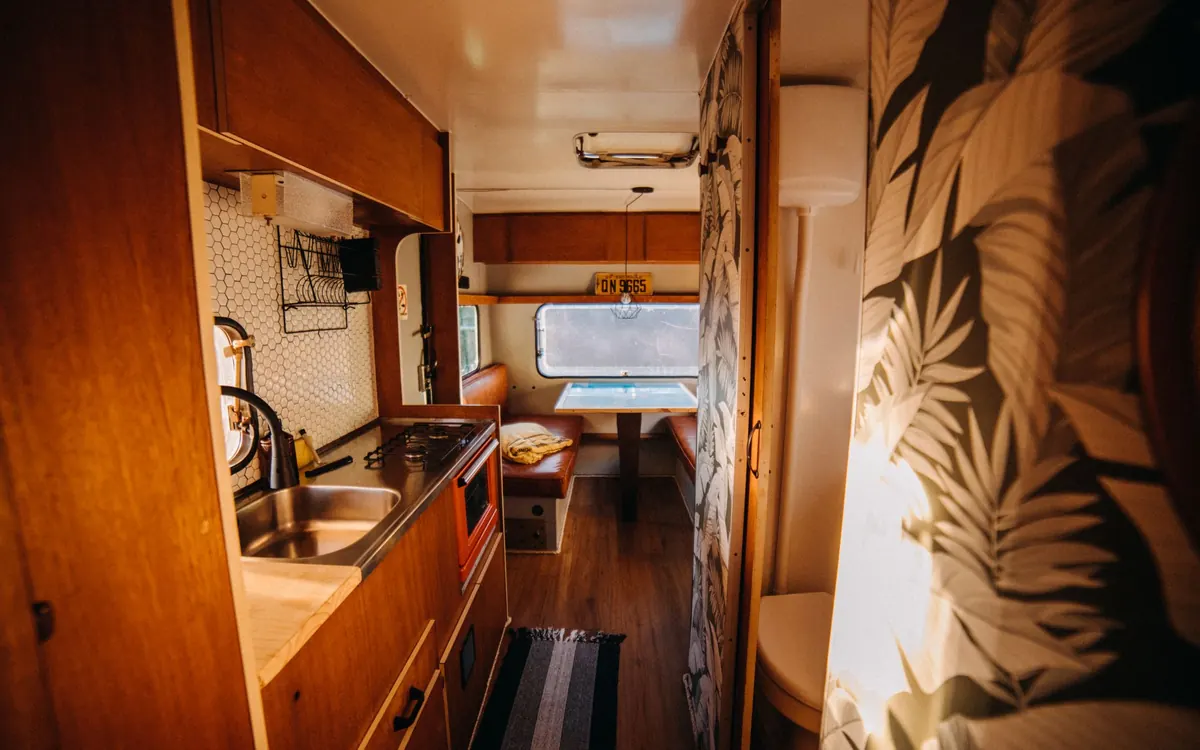
The monthly fee is the same whatever your fleet looks like. These are the things that decide how much of the first two weeks goes where.
A two berth and a six berth are different products with different renters. Each configuration is a page with its own equipment list.
A fleet that includes bedding, kitchen kit, chairs and an awning has more to describe, and describing it properly is exactly what stops the enquiry questions.
Every route or zone you support needs its own explanation of terms and any extra charges, written from your rules.
Minimum hire periods, blackout dates and shoulder season pricing each need a page rather than a footnote, or you will answer them by phone all summer.
Renters plan a campervan trip around sleeping capacity, kitchen setup and whether the vehicle suits the route they have in mind, so each fleet class page is designed around those questions rather than sorted by size alone. An included equipment list sits alongside the photography, so a renter can tell what comes with the vehicle without a follow up call.

These are the questions that stall a booking when they are left for a phone call, so the design gives them a dedicated, plainly written page. It sits one click from every fleet page and is written in your own policy, not a generic template.
If the fleet allows a different return location or delivery to a campsite, that option is designed into the reservation flow and explained on its own page rather than left as an exception a renter has to ask about.
The longest part of a campervan build is usually writing down what is actually included with each class, because it has never been written down. The onboarding call covers classes, sleeping capacity, equipment and mileage terms, the class template is agreed first, then the policy and route pages follow. Live in seven to fifteen days depending on plan.
Live in 7 to 15 days from the onboarding call depending on the plan, then 5 change requests a month completed within 2 to 5 working days.
Organized around sleeping capacity, kitchen setup and route suitability.
What comes with each vehicle, shown plainly rather than assumed.
One page explaining mileage, generator and propane terms clearly.
Reservation flow and page copy for delivery and one way trips.
A request form built around trip length rather than a single date.
Four things people reasonably expect and do not get, written here rather than discovered later.
Named reviews from rental businesses we have built for, each about the part of the site that changed.
The part I rate most highly is the form, not the visuals. The form gathers travel dates, passenger count and intended route at the start, exactly the details our follow-up messages always requested. Most mornings I can prepare for the callback from the first message alone.
Inquiry form and response workflow for touring vehicle requests
My first check was simple: open the touring vehicle requests page on a phone and try to get in touch. Key information comes first and the contact option is clearly labeled. Staff can now text a single link mid-call instead of narrating the menu.
Mobile navigation and page layout for touring vehicle requests
The after-hours side of touring vehicle requests was an afterthought on the old site. The form captures what a callback needs and says clearly that a person replies in working hours. Nobody mistakes an automated acknowledgment for an answer, which matters to us.
After-hours inquiry capture for touring vehicle requests
Real projects for rental businesses, from the starting point to what changed. Clients are described by type and region, not named.
Stuart SatterfieldFleet administrator, pet-friendly motorhome rental, Savannah, GeorgiaRead the case studyOne message about touring vehicle requests now carries what three used to. The difference shows up every morning.
Nobody buys a website in a vacuum. You are weighing this against the builder you already pay for, the person who made the last one, or leaving things as they are. We have written all ten comparisons honestly, including the cases where the other option is the better choice for a rental business.
Yes, a seasonal availability page can explain any minimum stay requirements or blackout periods you set for peak season.
Yes. The page structure works the same whether the fleet has three vehicles or thirty, and it is designed to add classes without a redesign.
A terms page can explain your deposit and damage handling policy in plain language. The site does not process deposits or damage claims itself.
Yes, both fit the same page structure. The class pages, equipment lists and policy pages are written around whichever vehicles you actually rent.
Yes, and this is the single biggest change most campervan fleets see. Every class page carries an included equipment list written from what you actually provide, so the question that used to open every phone call is answered on the page.
Yes, as part of the weekly articles. Route and trip guides are some of the most useful content a campervan fleet can publish, because they match what a renter searches months before they are ready to book.
A seasonal availability page you control, plus class pages that can be marked unavailable for a period without being deleted. Deleting a page every winter and rebuilding it every spring throws away the search visibility it earned.
They get their own structured page, written in your numbers. Renters comparing two fleets on a fortnight trip are comparing mileage allowances more than they are comparing daily rates, so putting it in plain view usually helps rather than hurts.
A live walk-through of the site you would get, in about 30 minutes. Plans from $127 a month, the $697 build fee invoiced only after launch, domain and hosting included.
Book a demoOr email and a person replies within one working day.
RentalWebStudio uses the cookies below. Necessary cookies keep the site working and cannot be turned off.
Saved on this device only. Press Esc to close.